







Nothing OS 4.0 Open Beta Now Available in India for Phone 3 and Other Devices
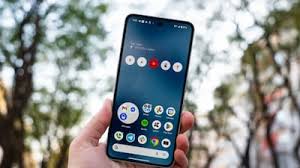
Nothing OS 4.0 open beta is finally rolling out in India, bringing the latest Android 16 experience to the Phone 3 and select older devices. The update, first teased in September, introduces several interface changes and new features.
The Android 16-based open beta isn’t limited to the flagship Phone 3; a few older Nothing devices are also receiving it. One of the highlights of Nothing OS 4.0 is the AI-generated Essential Apps, part of Nothing’s push toward an AI-powered operating system.
Devices Eligible for Nothing OS 4.0 Open Beta
While Nothing initially confirmed that Phone 3 users would be the first to receive OS 4.0, the latest rollout also includes some older devices:
- Nothing Phone 3
- Nothing Phone 2
- Nothing Phone 2a
- Nothing Phone 2a Plus
Notably, newer models like the Phone 3a and Phone 3a Pro, as well as the CMF Phone lineup, are not included in this beta release.
How to Install Nothing OS 4.0 Open Beta
Installing the OS 4.0 open beta is straightforward:
- Download the Nothing OS 4.0 open beta APK file.
- Install the APK from your Downloads folder.
- Go to Settings → System → Nothing Beta Hub.
- Tap Join Beta to enroll.
- A pop-up will appear with the update. Tap Go to Update to install the open beta.
What’s New in Nothing OS 4.0 Open Beta
- Refreshed interface with new icon styles and artistic touches.
- Extra Dark Mode for improved viewing comfort.
- Faster app loading and a lighter, more fluid interface compared to OS 3.0.
- New AI Dashboard and Playground, moving the OS closer to an AI-driven experience.
As this is still a beta release, users may encounter occasional bugs, glitches, or battery life issues.